Build tactics.
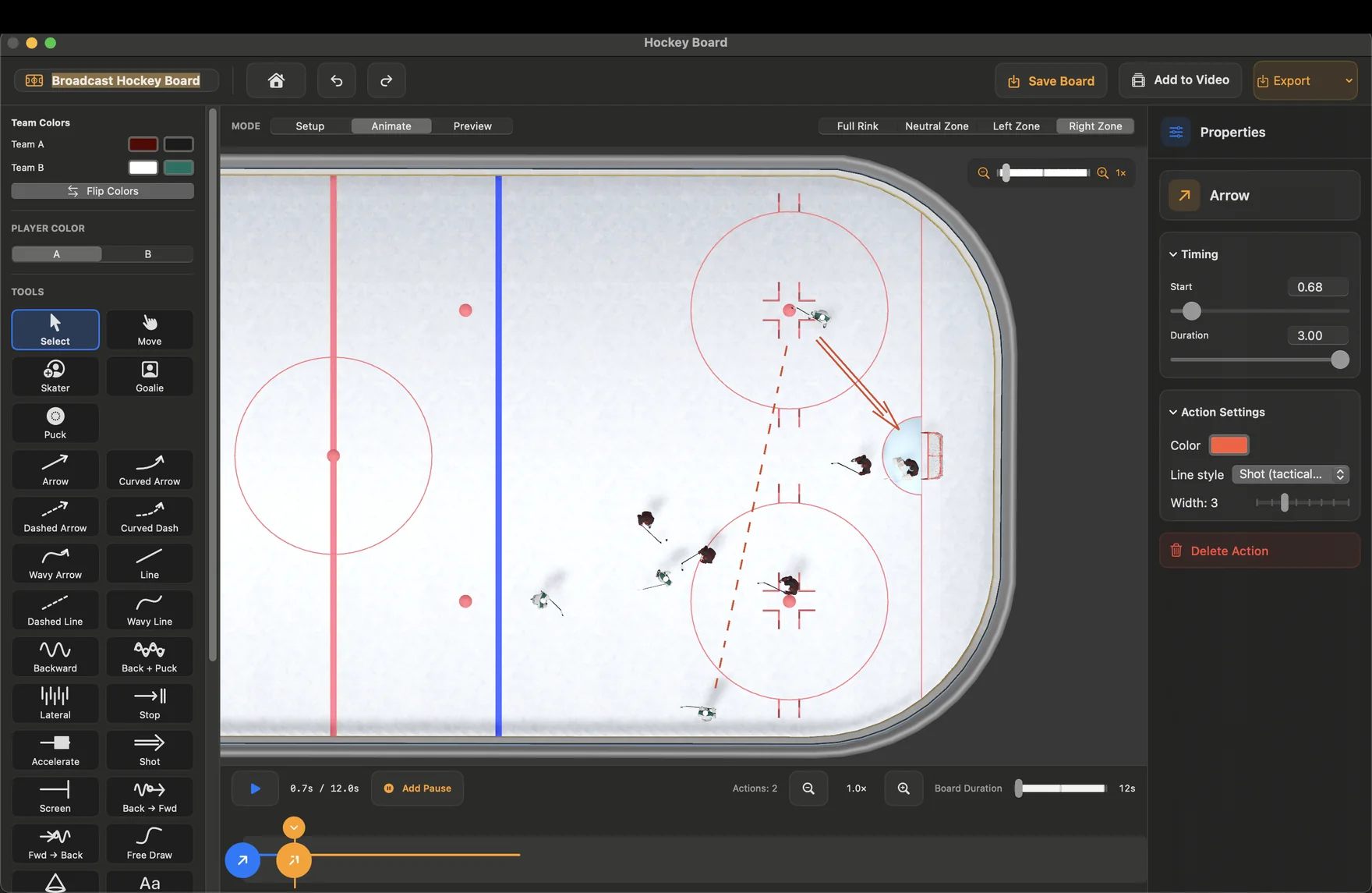
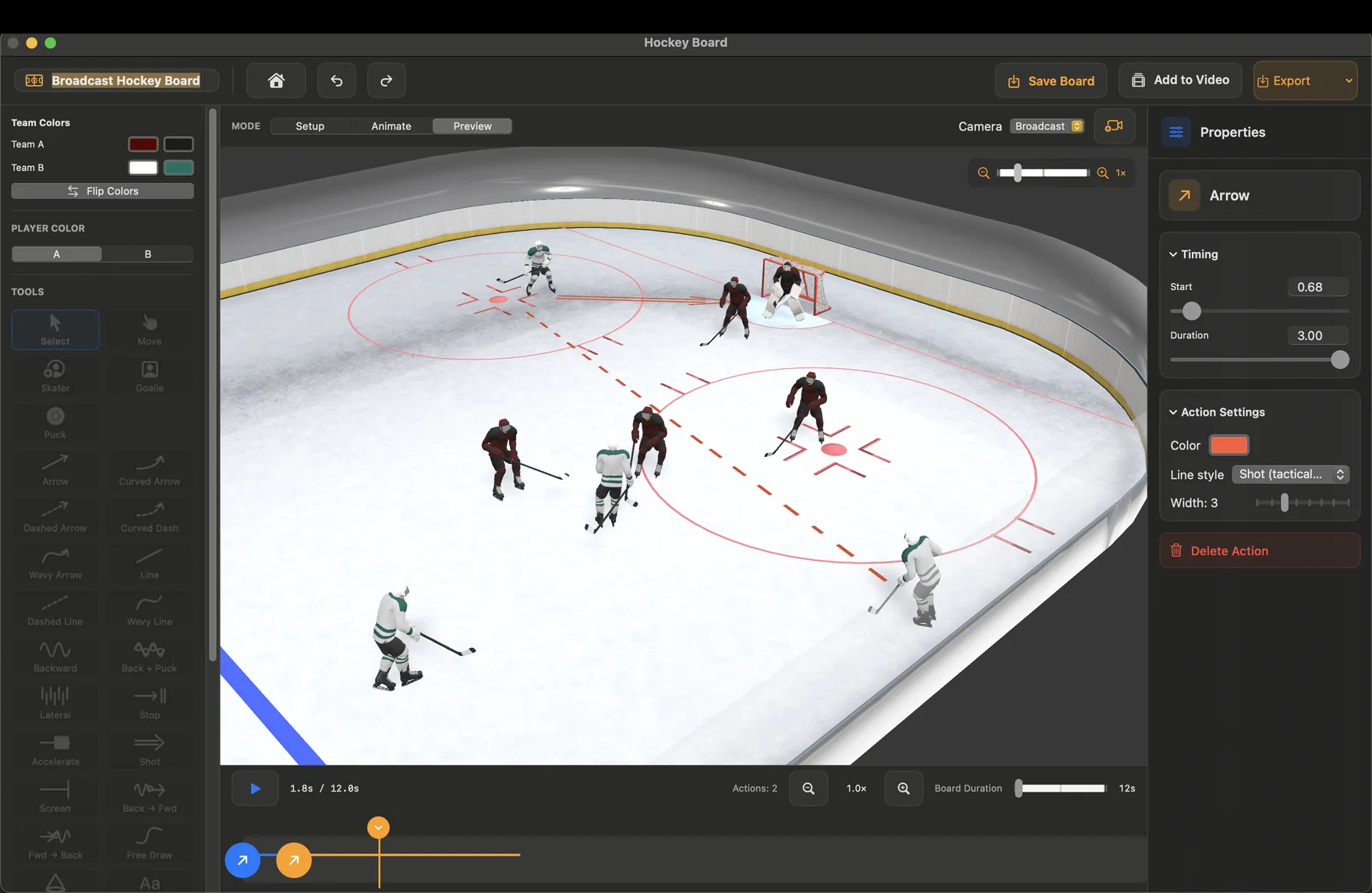
Place players and pucks on a 3D rink. Animate skating, passes and shots; draw arrows, paths and cones; add camera cuts and control the action on a timeline. Insert Board sequences into Video Analysis and re-edit them later.
 TactiPlay
Track players, explain key moments with telestration, build animated hockey plays, and explore the game from reconstructed 3D perspectives.
7-day full trialNo card requiredmacOS 15.4+
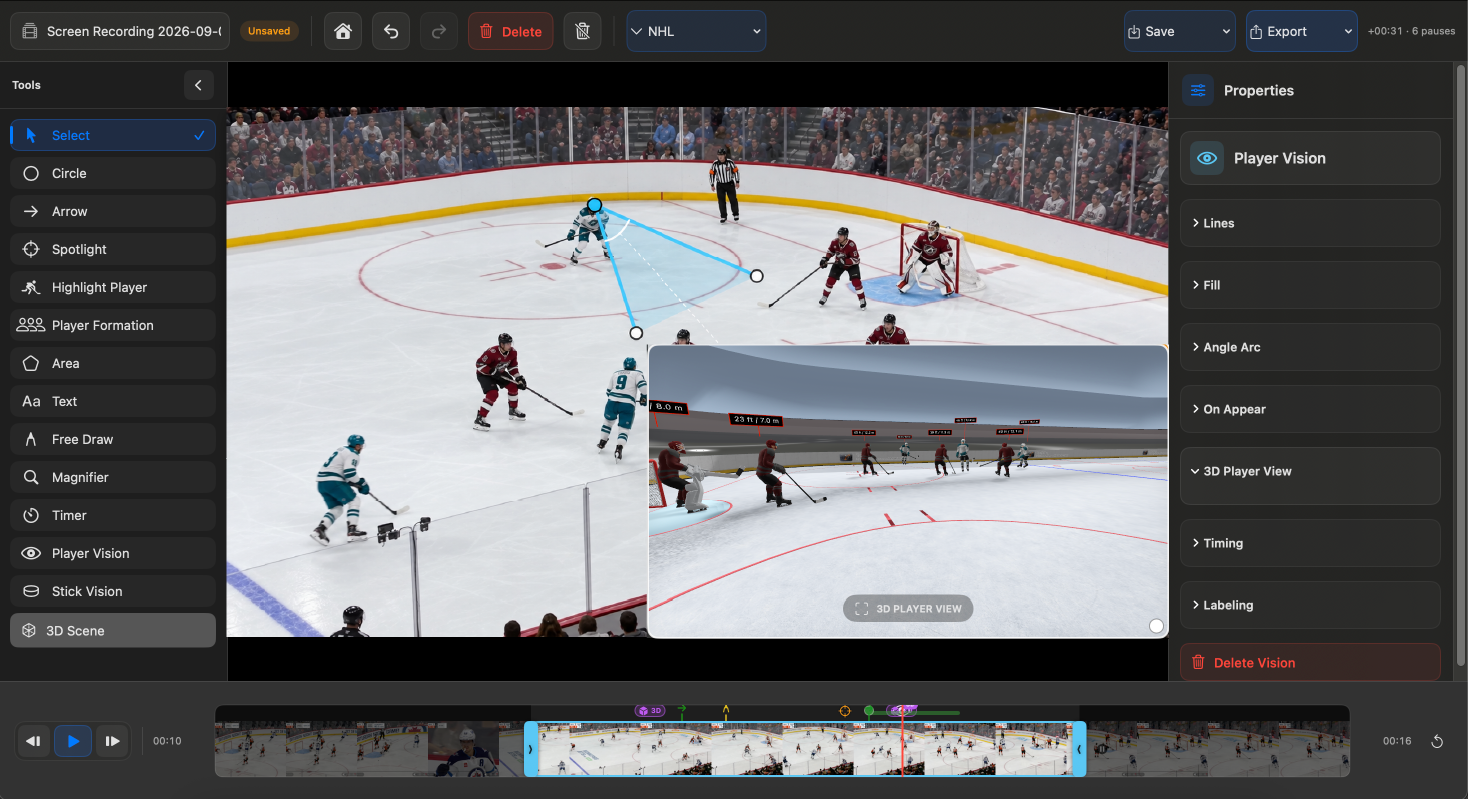
Version 2.3.1 introduces an animated 3D Hockey Board, new recording options for Player POV and Stick POV, and tools to make shot blocking easier to explain.
Place players and pucks on a 3D rink. Animate skating, passes and shots; draw arrows, paths and cones; add camera cuts and control the action on a timeline. Insert Board sequences into Video Analysis and re-edit them later.
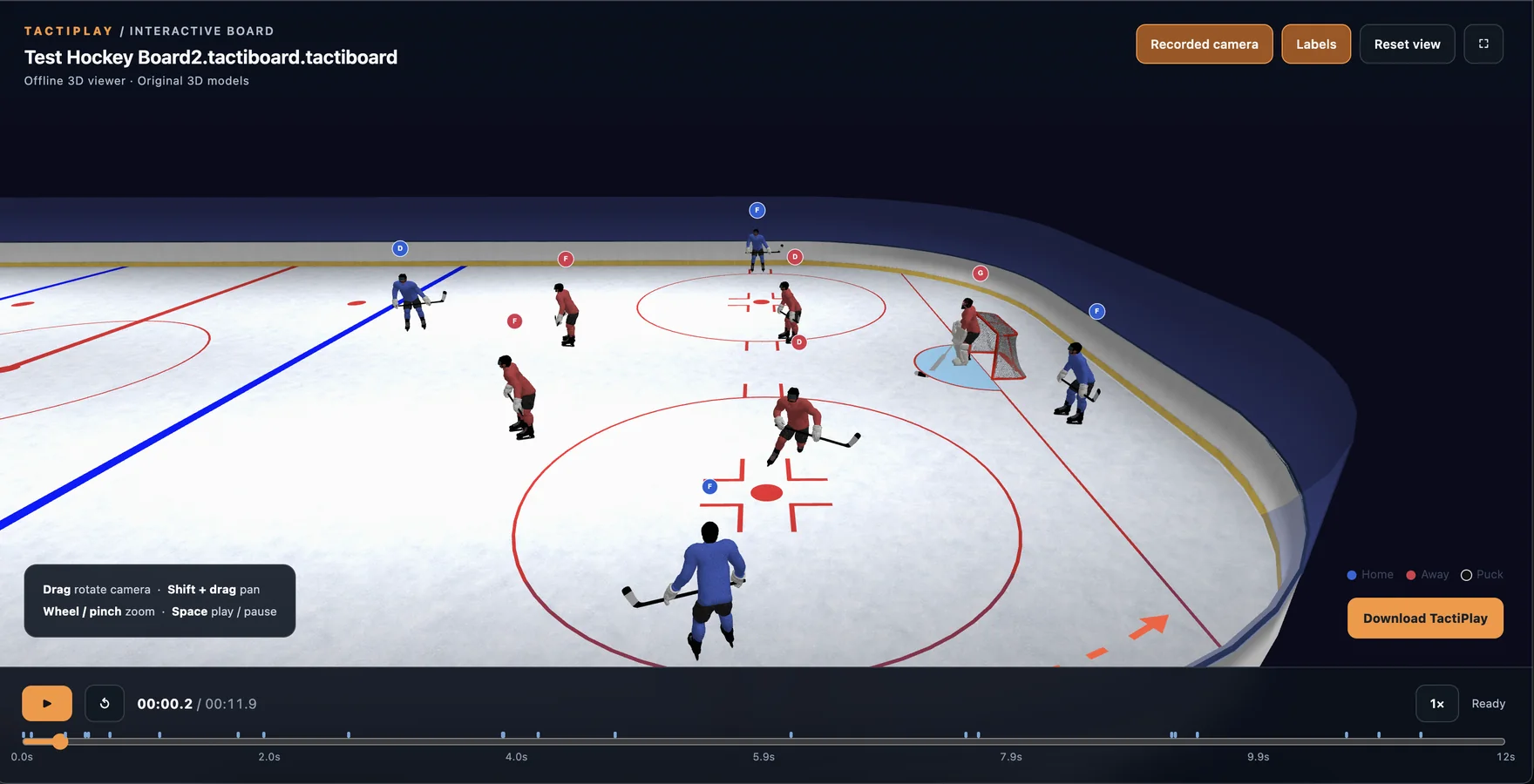
Export your Board as an MP4 or a single, self-contained HTML file. Recipients can explore animations, annotations and camera views offline in a browser—no TactiPlay installation required.
Record Player POV sequences as video. Shot-blocking visualization helps illustrate how defenders affect a player's shooting lane.
Record Stick POV sequences as video, so you can revisit and share the moment from the stick’s point of view alongside your analysis.
From player tracking and telestration to animated Hockey Board plays, editable 3D scenes and reconstructed POVs.
Select a player and let TactiPlay follow them through the sequence. Adjust the track manually whenever traffic, occlusion, or camera movement gets in the way.
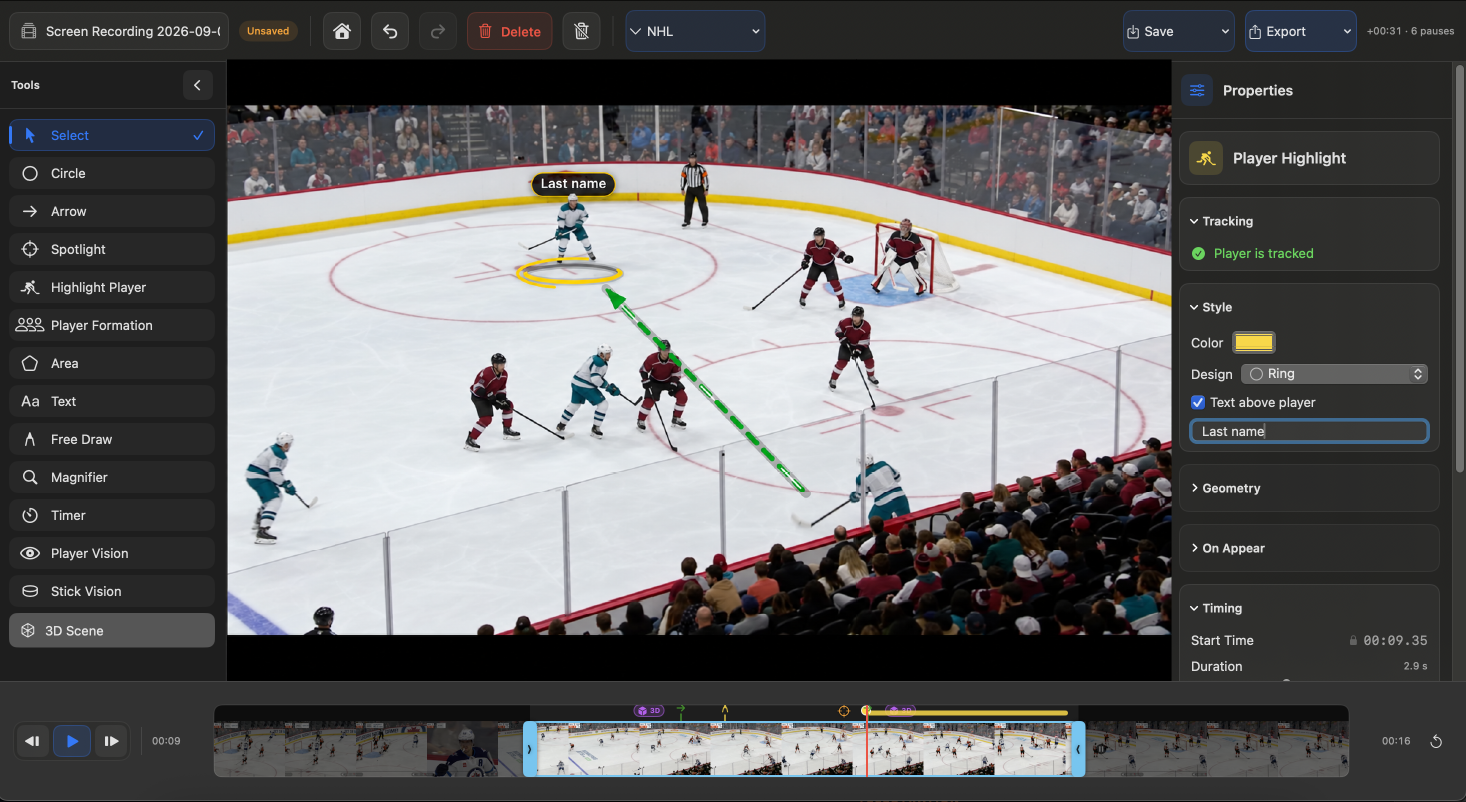
Add arrows, circles, areas, free drawing, text, spotlights, and formations directly over the play.
Transfer player positions from your video to Hockey Board. Explore Hockey Board
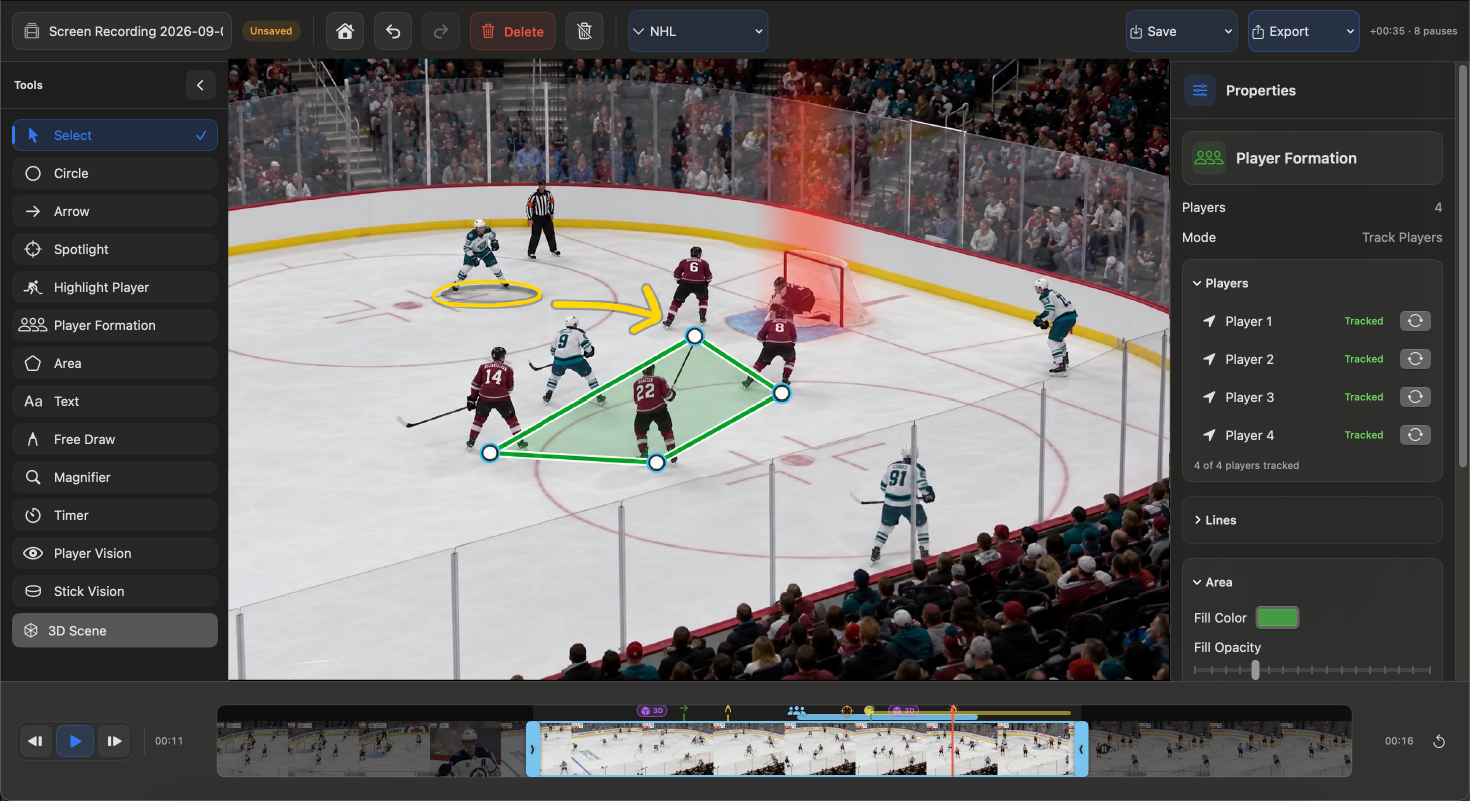
Start with an empty rink or transfer player positions from your video analysis. Drag players into place, build skating movements, passes and shots, add tactical graphics and camera views, and control the play on one timeline.
Share the finished play as an MP4 video or a self-contained interactive HTML file. Your audience can open it in a browser, control playback and explore camera angles without installing TactiPlay.
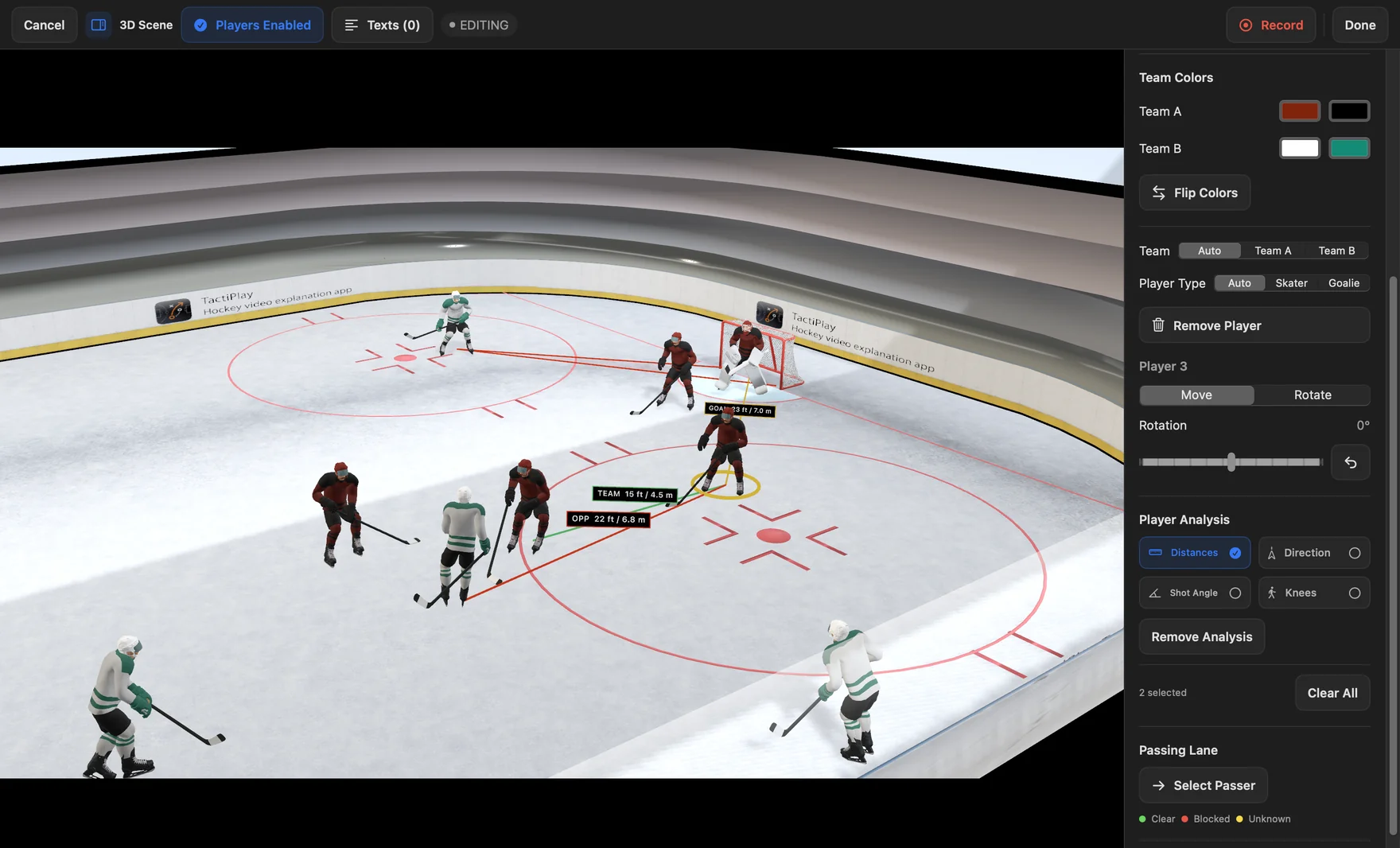
Turn a moment from your footage into an editable 3D scene. Select, drag and rotate players, examine positioning and spacing, and visualize shot angles and passing options from different camera views.
Compare how shooting space changes from a player's position, then explore the play from the stick's perspective.
Compare two views of the same reconstructed moment. As the goalie moves, the available shooting space narrows. Use Player POV to explore shooting decisions and record the reconstructed perspective.
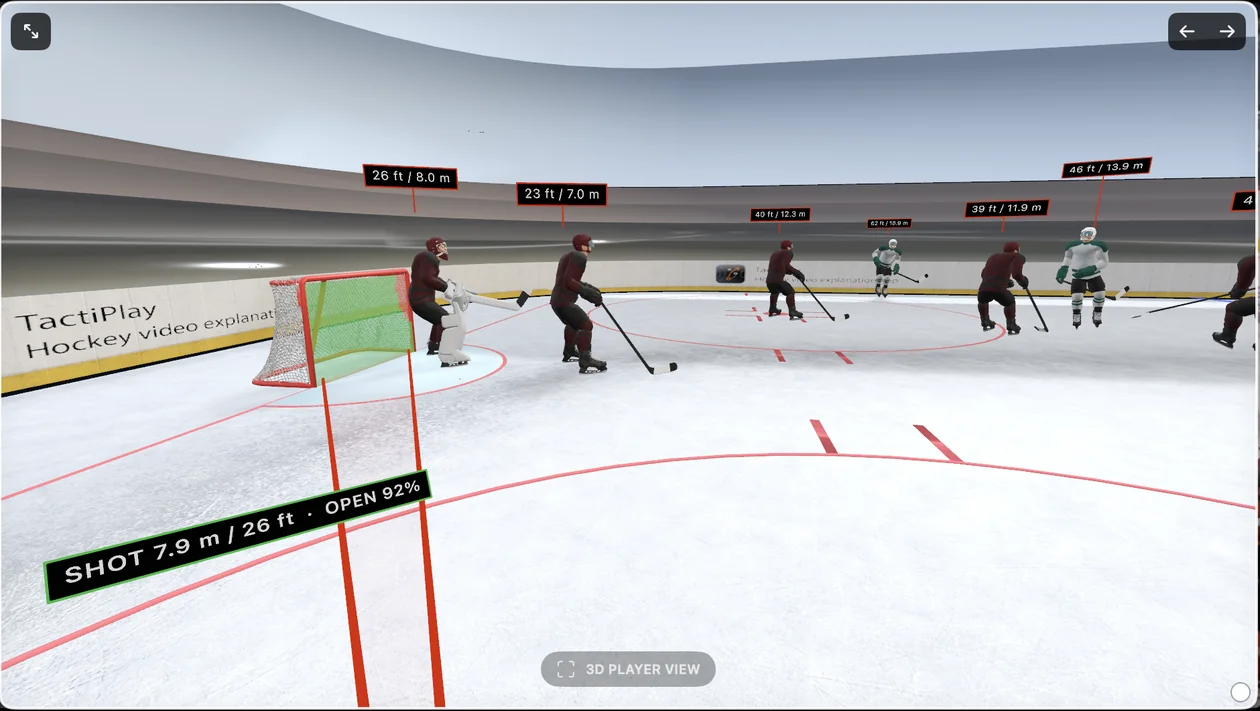 Open net
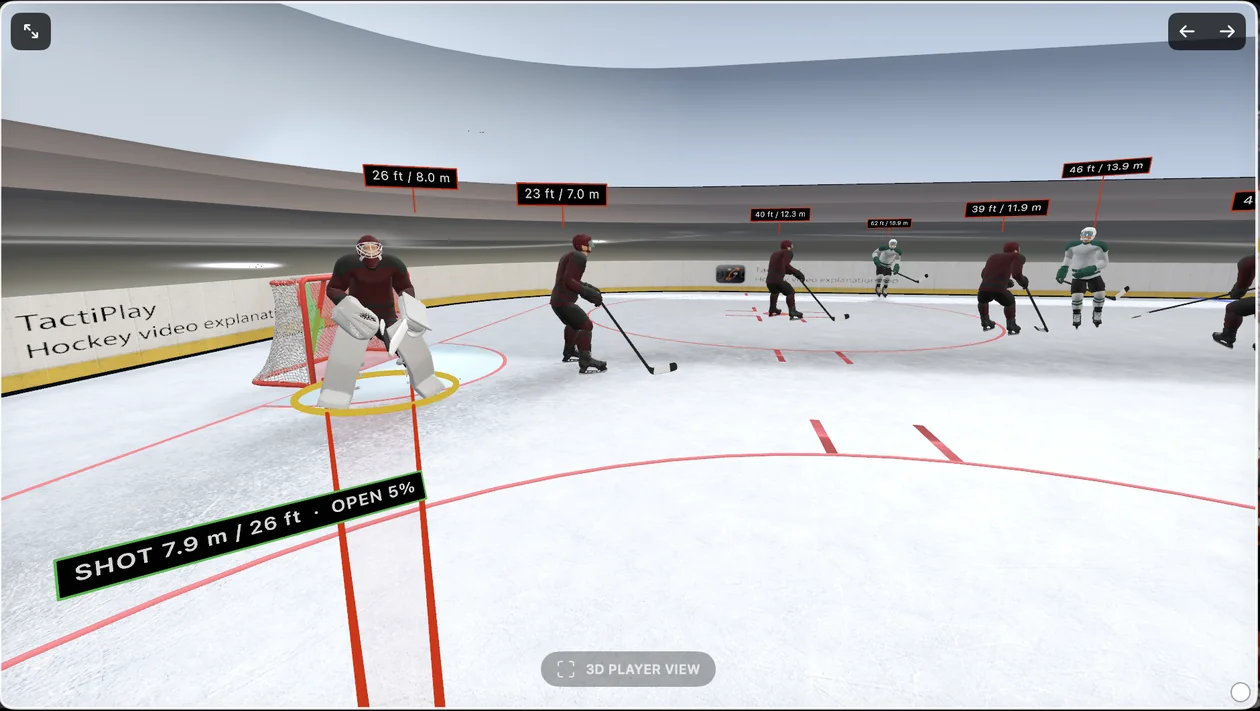 Closed net
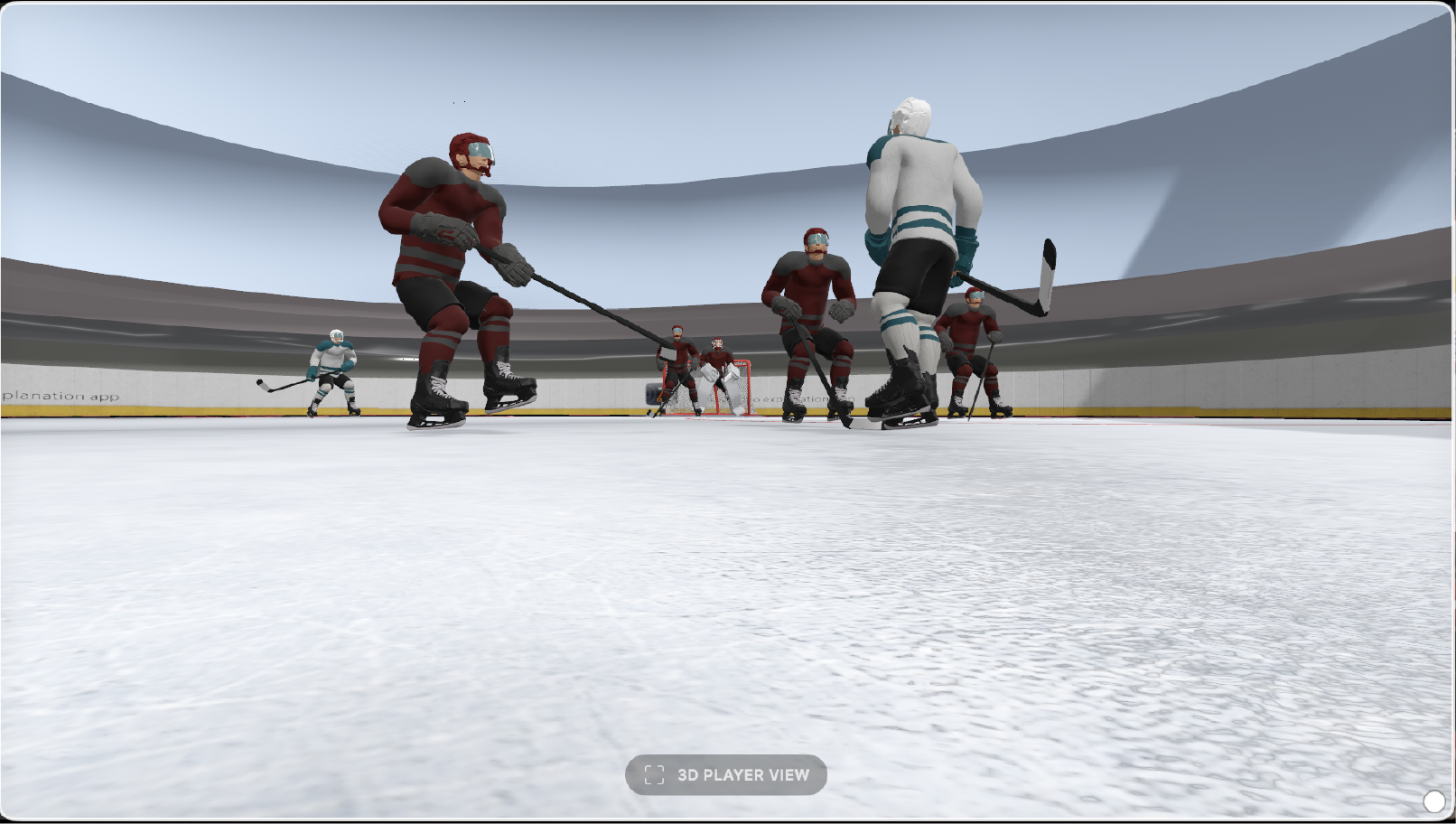
Explore the reconstructed play from the stick’s perspective and record this view for your analysis.
Control when each element appears, add pauses where the play needs explanation, and export the finished analysis as an MP4.
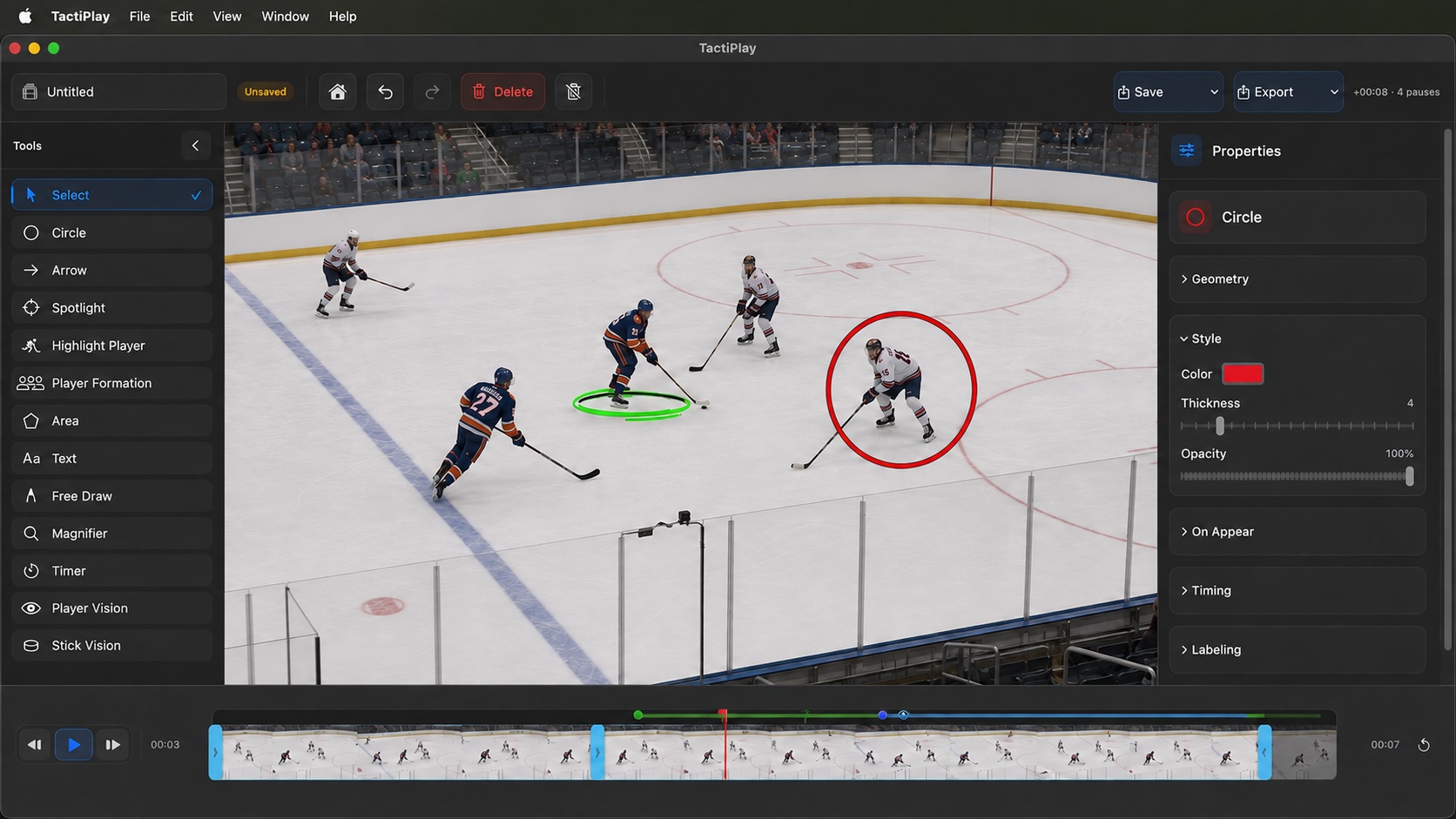
Open practice, game, or broadcast video directly from your Mac.
Track players, add telestration, adjust timing, and reconstruct key moments in 3D.
Render the finished analysis as an MP4 for players, coaches, or presentations.
Try every TactiPlay feature on your own footage. No payment details required.
Choose monthly or annual billing. Every TactiPlay feature is included in both.
Full access to TactiPlay with the flexibility to cancel anytime.
Choose MonthlyFull access for a year — equivalent to $14.92 per month.
Choose AnnualTactiPlay currently requires macOS 15.4 or later.
PlatformmacOS 15.4+
License2 Macs
Video processingLocal
TactiPlay reconstructs a selected moment from the original hockey footage, estimating player position, body pose, and their placement on the rink. Player POV shows the moment from the player’s perspective, while 3D Scene lets you explore the reconstructed play from another angle.
No. They are reconstructed views created from the original video. TactiPlay uses the information available in the frame to estimate the players and their positions in 3D.
No. Your source video and TactiPlay projects are processed locally on your Mac.
The 7-day trial includes full access to all TactiPlay features. No payment details are required.
Yes. A TactiPlay license can be activated on up to two Macs.
Yes. TactiPlay can track the selected player automatically, and you can correct the track manually whenever needed.
You can continue using TactiPlay until the end of your current billing period. Your local projects remain on your Mac.
Start with 7 days of full access. No payment details required.